How can I pass variables from awk to a shell command?
Categories:
Passing Variables from Awk to Shell Commands

Learn effective techniques to pass variables from awk scripts to external shell commands, enabling powerful data processing and automation workflows.
Awk is a powerful text processing tool, often used for data extraction and reporting. While awk excels at in-place processing of text files, there are scenarios where you need to use data processed by awk as input for external shell commands. This article explores various methods to effectively pass variables from your awk script to shell commands, enhancing your scripting capabilities.
Method 1: Using system() Function for Direct Execution
The system() function within awk allows you to execute any shell command directly from your awk script. This is the most straightforward way to pass awk variables to a shell command. You construct the shell command string dynamically, embedding awk variables into it. Remember to properly quote your variables to handle spaces or special characters in their values.
awk '{ my_var = $1; system("echo " my_var " >> output.txt") }' input.txt
Basic usage of system() to pass $1 to an echo command.
system(), be cautious about shell injection vulnerabilities if the awk variable content comes from untrusted input. Always sanitize or properly quote variables, especially if they might contain shell metacharacters.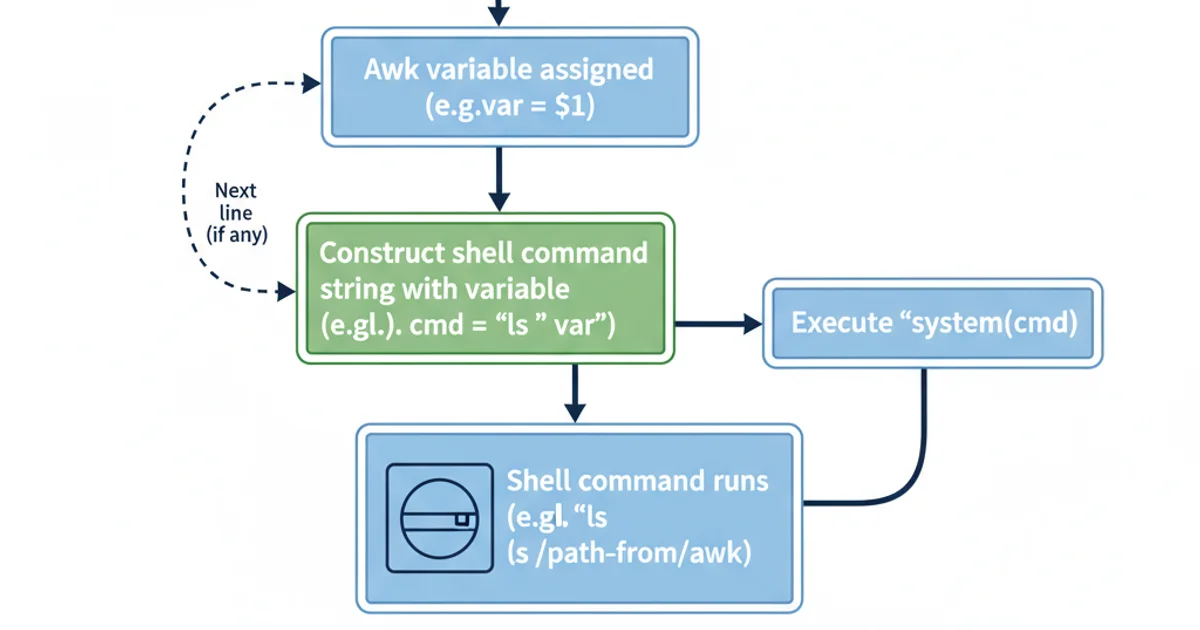
Workflow of system() function in Awk
Method 2: Piping Output to Another Command
For more complex scenarios or when you need to process the entire awk output with a shell command, piping is often the better approach. You can use awk to generate a specific output format, and then pipe this output to another shell command using standard Unix pipes (|). This method is highly efficient for stream processing.
awk '{ print $1, $2 }' input.txt | while read var1 var2; do
  echo "Processed: $var1 and $var2"
  # Further shell commands using $var1 and $var2
done
Piping awk output to a while read loop for sequential processing.
system() calls if the awk output is well-formed.Method 3: Using getline from a Shell Command
While less common for passing awk variables to a shell command, getline can be used to read the output of a shell command into awk variables. This is useful when awk needs to query external information or perform an action based on a shell command's result. You can then use these newly acquired awk variables in subsequent system() calls or for further processing.
awk 'BEGIN {
  "date +%Y-%m-%d" | getline current_date;
  close("date +%Y-%m-%d");
  print "Today is: " current_date;
  system("mkdir " current_date);
}'
Using getline to get the current date from a shell command and then using it in system().
close() the pipe after using getline with a command to prevent resource leaks, especially if you are calling the same command multiple times within your awk script.Choosing the Right Method
The best method depends on your specific use case:
system(): Ideal for simple, one-off command executions whereawkvariables need to be directly embedded into a shell command string. Best for small-scale operations or when the shell command needs to be executed for eachawkrecord.- Piping (
|): Excellent for processing the entireawkoutput with another command, especially for large datasets or when the subsequent command expects stream input. This is often the most performant and robust method for complex data transformations. getline: Useful whenawkneeds to fetch external information from a shell command to influence its processing logic or to construct subsequentsystem()calls.
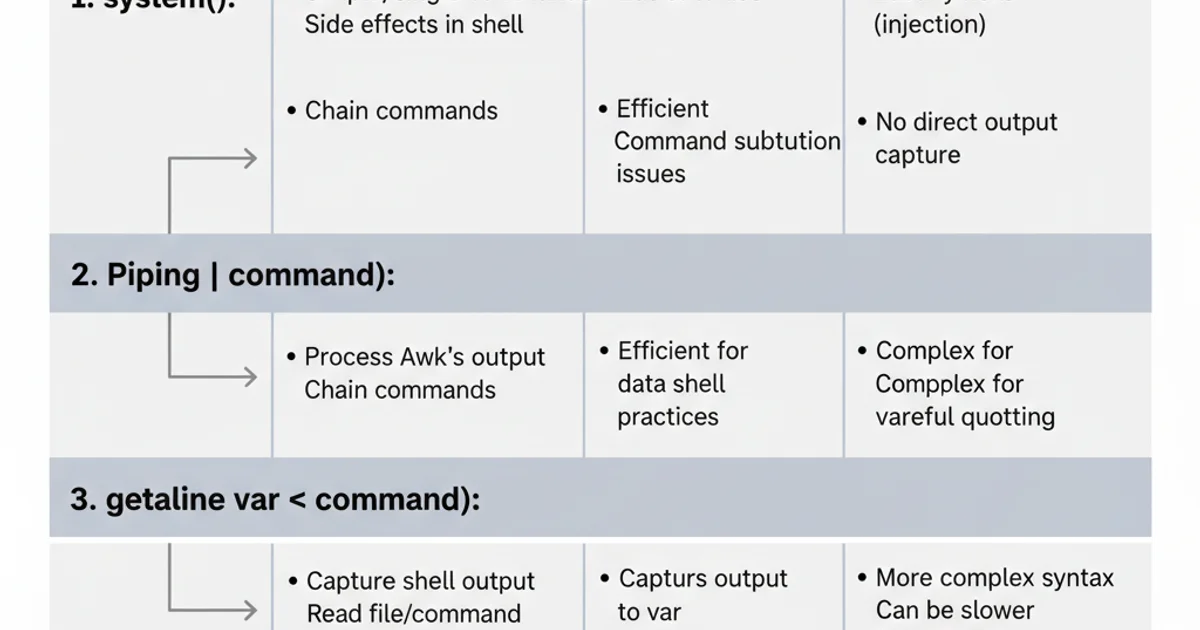
Comparison of methods for Awk-to-Shell variable passing
By understanding these techniques, you can effectively integrate awk's powerful text processing capabilities with the versatility of shell commands, creating sophisticated and efficient data manipulation workflows.