Difference between Sprintf and printf in Perl
Categories:
Perl's Print Powerhouses: Sprintf vs. Printf Explained
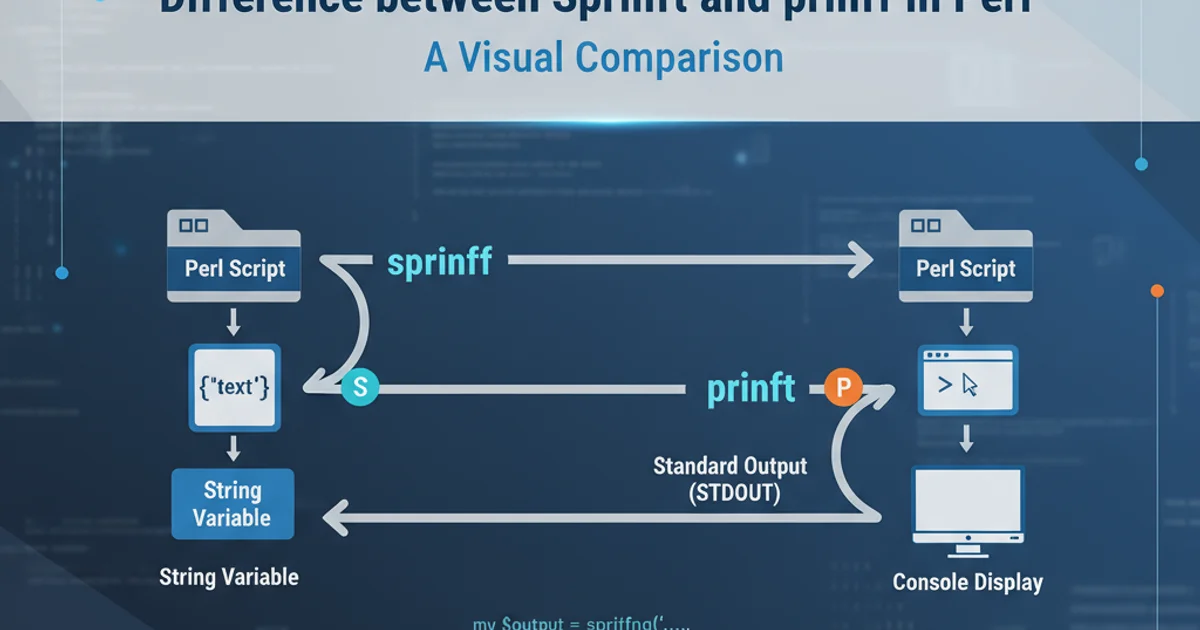
Explore the fundamental differences between Perl's sprintf and printf functions, understanding when to use each for formatted output and string manipulation.
In Perl programming, printf and sprintf are two powerful functions derived from the C language, both used for producing formatted output. While their syntax and formatting capabilities are nearly identical, their fundamental difference lies in where they direct their output. Understanding this distinction is crucial for effective Perl scripting, allowing you to choose the right tool for generating formatted strings or directly printing to a destination.
Printf: Direct Output to Standard Output
The printf function in Perl is designed to print formatted data directly to the standard output (usually your terminal or console). It takes a format string and a list of arguments, applying the specified formatting rules to the arguments and immediately displaying the result. This makes printf ideal for tasks like logging, displaying user-friendly messages, or generating reports that need to be seen immediately.
my $name = "Alice";
my $age = 30;
my $height = 1.75;

printf "Name: %s, Age: %d, Height: %.2f meters\n", $name, $age, $height;

# Output:
# Name: Alice, Age: 30, Height: 1.75 meters
Basic usage of printf to output formatted data to the console.
printf to print to a filehandle by specifying it as the first argument. For example: printf FILEHANDLE "Format string", @args;Sprintf: Formatting into a String Variable
In contrast, sprintf does not print anything directly. Instead, it returns the formatted string as its result. This returned string can then be assigned to a variable, used in further string manipulations, or passed as an argument to other functions. sprintf is invaluable when you need to construct a formatted string for later use, such as building SQL queries, generating dynamic HTML, or creating log entries that will be stored rather than immediately displayed.
my $product = "Laptop";
my $price = 1200.50;
my $quantity = 2;

my $invoice_item = sprintf "Item: %-15s | Price: %8.2f | Qty: %d", $product, $price, $quantity;

print "Invoice Item: $invoice_item\n";

# Output:
# Invoice Item: Item: Laptop          | Price:  1200.50 | Qty: 2
Using sprintf to create a formatted string and store it in a variable.
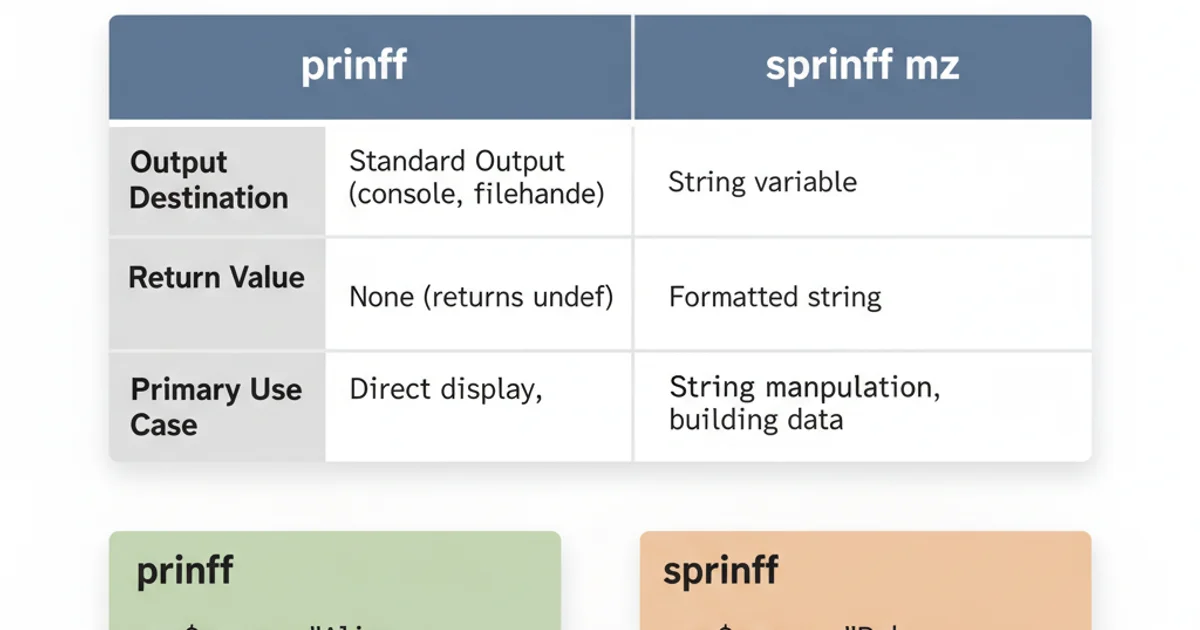
Key differences between printf and sprintf.
Common Formatting Specifiers
Both printf and sprintf utilize the same set of formatting specifiers, making it easy to switch between them once you understand the core difference. Here are some of the most commonly used specifiers:
%s: String%dor%i: Signed integer%u: Unsigned integer%f: Floating-point number (decimal notation)%eor%E: Floating-point number (scientific notation)%xor%X: Hexadecimal integer%o: Octal integer%%: A literal percent sign
Modifiers can be used with these specifiers to control width, precision, alignment, and padding. For example, %.2f formats a float to two decimal places, and %-10s left-justifies a string within a field of 10 characters.
my $value = 123.4567;
my $text = "Perl";

# Right-justified integer with padding
printf "Integer: %05d\n", 42; # Output: Integer: 00042

# Floating-point with 2 decimal places
my $formatted_float = sprintf "Value: %.2f", $value; # $formatted_float is "Value: 123.46"
print "$formatted_float\n";

# Left-justified string in a 10-character field
printf "%-10s is great!\n", $text; # Output: Perl       is great!

# Right-justified string in a 10-character field
printf "%10s is great!\n", $text; # Output:       Perl is great!
Examples of various formatting specifiers and modifiers.
perlfunc documentation or search for sprintf in Perl's official documentation.When to Use Which
The choice between printf and sprintf boils down to your immediate need:
Use
printfwhen:- You want to display formatted output directly to the user.
- You are writing log messages that need to appear in a file or on the console.
- You are generating reports that are immediately consumed.
- You are printing to a specific filehandle.
Use
sprintfwhen:- You need to construct a formatted string that will be stored in a variable.
- You are building parts of a larger string, like an SQL query or an HTML snippet.
- You need to pass a formatted string to another function that expects a string argument.
- You want to manipulate or process the formatted string further before displaying it.
Both printf and sprintf are indispensable tools in a Perl programmer's arsenal. By understanding their distinct roles – printf for direct output and sprintf for string construction – you can write more efficient, readable, and robust Perl code.