Why is continue not working?
Categories:
Understanding 'continue' in Python: Common Pitfalls and Solutions
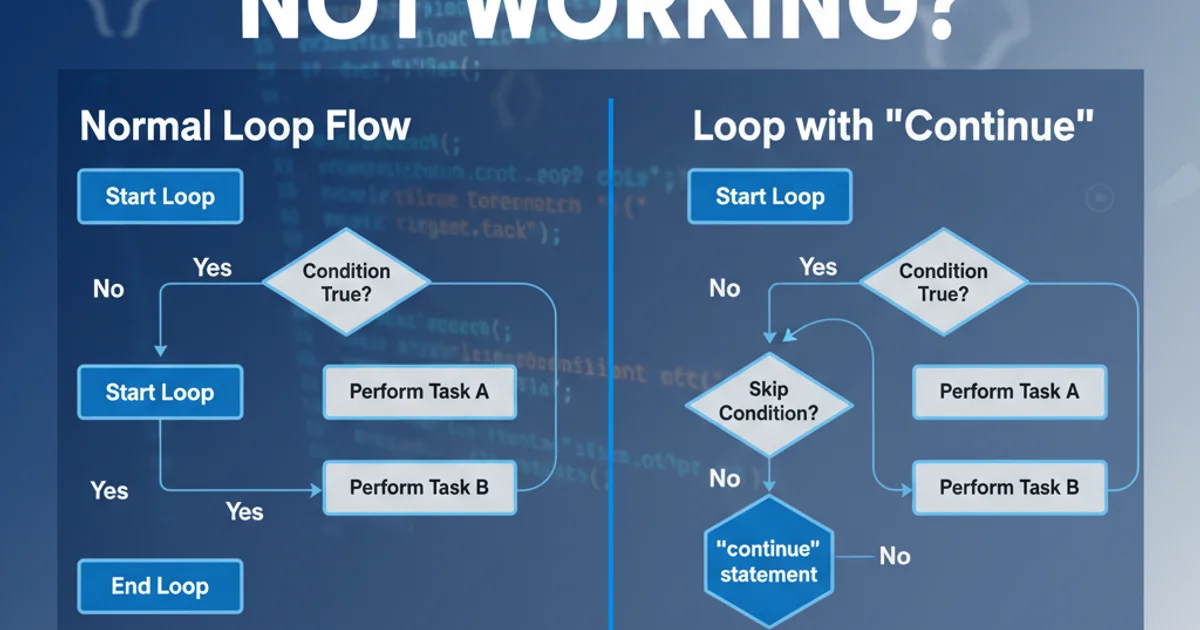
Explore why the continue statement might not behave as expected in Python loops, focusing on common misunderstandings and providing clear solutions.
The continue statement in Python is a powerful tool for controlling loop execution. It allows you to skip the rest of the current iteration and move to the next one. However, developers often encounter situations where continue doesn't seem to work as anticipated. This article delves into the common reasons behind such issues, particularly when dealing with nested loops, while loops, and conditional logic, providing practical examples and solutions.
How 'continue' Works: The Basics
Before diving into problems, let's recap the fundamental behavior of continue. When Python encounters a continue statement inside a loop, it immediately stops executing the current iteration's code block and proceeds to the next iteration of the same loop. It does not terminate the loop entirely (that's break), nor does it affect outer loops.
flowchart TD
    A[Start Loop] --> B{Condition Met?}
    B -- No --> C[Execute Current Iteration Code]
    C --> D[Next Iteration]
    B -- Yes --> D[Next Iteration]
    D --> E{Loop Condition Still True?}
    E -- Yes --> B
    E -- No --> F[End Loop]
Control flow of a loop with a 'continue' statement.
for i in range(5):
    if i == 2:
        continue  # Skip printing for i=2
    print(i)

# Expected Output:
# 0
# 1
# 3
# 4
Basic usage of continue in a for loop.
Common Pitfall 1: Misunderstanding 'continue' in Nested Loops
One of the most frequent sources of confusion arises when continue is used within nested loops. A continue statement only affects the innermost loop it is contained within. It will not skip iterations of any outer loops. If you intend to skip an iteration of an outer loop based on a condition in an inner loop, continue alone is insufficient.
for i in range(3):
    for j in range(3):
        if i == 1 and j == 1:
            continue  # This only skips the inner loop's iteration (j=1)
        print(f"i: {i}, j: {j}")

# Expected Output:
# i: 0, j: 0
# i: 0, j: 1
# i: 0, j: 2
# i: 1, j: 0
# i: 1, j: 2  <-- Notice i=1, j=1 is skipped
# i: 2, j: 0
# i: 2, j: 1
# i: 2, j: 2
Demonstrating continue in nested loops affecting only the inner loop.
return.Common Pitfall 2: Incorrect Placement in 'while' Loops
In while loops, the placement of continue is crucial, especially concerning the update of the loop's control variable. If continue is triggered before the control variable is updated, it can lead to an infinite loop because the condition for exiting the loop might never be met.
count = 0
while count < 5:
    if count == 2:
        continue  # DANGER: 'count' is not incremented here, leading to infinite loop
    print(count)
    count += 1

# This code will result in an infinite loop printing '0', '1' repeatedly.
Incorrect continue placement in a while loop causing an infinite loop.
count = 0
while count < 5:
    if count == 2:
        count += 1  # Correctly increment 'count' before 'continue'
        continue
    print(count)
    count += 1

# Expected Output:
# 0
# 1
# 3
# 4
Correct placement of continue in a while loop.
continue statement is executed. For while loops, this often means incrementing or decrementing the control variable before continue.Debugging 'continue' Issues
When continue isn't working as expected, consider these debugging strategies:
- Print Statements: Insert
print()statements before and after thecontinueto trace the flow of execution and see if the loop variable is updating correctly. - Step-through Debugger: Use a debugger (like
pdbin Python or your IDE's debugger) to step through your code line by line. This allows you to observe variable values and the exact path of execution. - Simplify the Loop: Temporarily remove complex logic or nested structures to isolate the
continuestatement's behavior. - Review Loop Type: Confirm whether you are using a
forloop or awhileloop, as their handling of iteration and control variable updates differs significantly.